


 Send Inquiry
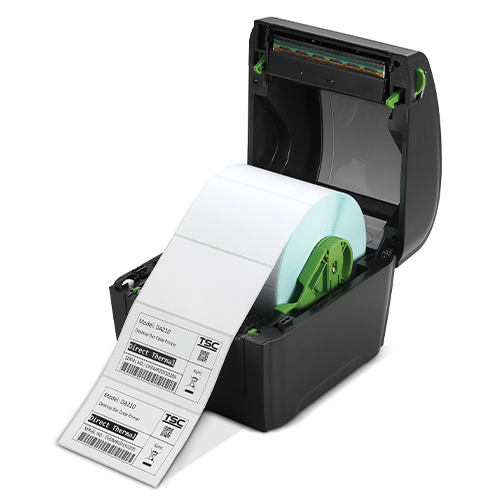
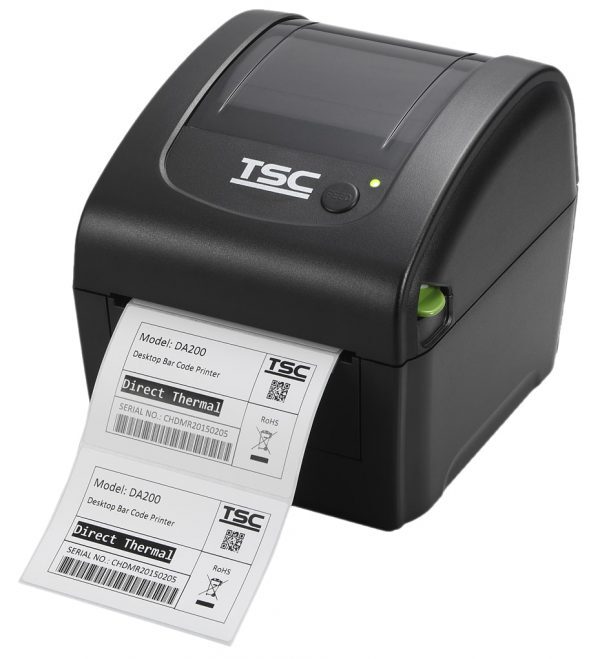
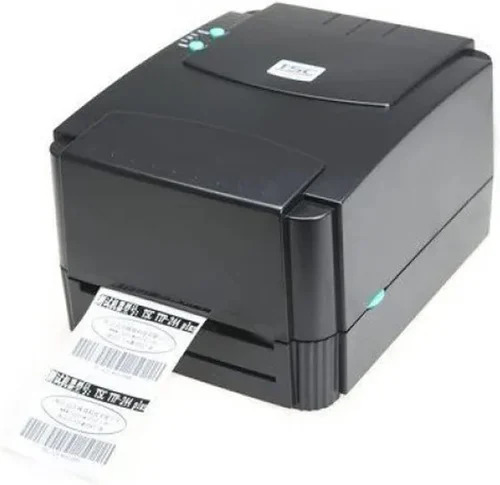
TSC DA310 Barcode Label Printer
Price 18500 INR/ Piece
MOQ : 10 Pieces
TSC DA310 Barcode Label Printer Specification
- Processor Type
- 32bit RISC CPU
- Interface
- USB2.0, Bluetooth, serial.
- Condition
- New
- Material
- ABS plastic
- Dimensions
- 172 mm (W) x 165 mm (H) x 195 mm (D) Millimeter (mm)
- Gross Power
- Input: AC 100-240V, 50-60Hz, Output: DC 24V, 2.5A, 60W
- Voltage
- DC 24V Volt (v)
- Automatic Grade
- Automatic
- Maximum Resolution
- 300dpi
- Use
- office, home, supermarket
TSC DA310 Barcode Label Printer Trade Information
- Minimum Order Quantity
- 10 Pieces
- Payment Terms
- Cash Against Delivery (CAD), Cash on Delivery (COD), Cash Advance (CA), Delivery Point (DP), Cash in Advance (CID), Cheque
- Supply Ability
- 10 Pieces Per Day
- Delivery Time
- 5 Days
- Main Domestic Market
- All India
TSC DA310 Barcode Label Printer About
The DA Series of direct thermal desktop printers is ideal for a wide variety of applications including product marking, point of sale, retail, small office, shipping labels, and other labeling and tag applications at a very competitive price.
The DA Series is a perfect combination of affordability with a durable and reliable design. The DA series offers both 203 and 300 dpi print resolution with printing speeds up to a fast 6 ips. The large 60-watt power supply produces high quality printed labels, even at its fastest print speeds.
High-Quality Printing Performance
Experience crystal-clear barcodes and labels thanks to the DA310's 300dpi maximum resolution. The 32-bit RISC CPU ensures fast and efficient processing, making this printer suitable for daily business operations that require precision and speed.
Versatile Connectivity Options
Easily integrate the DA310 into your workspace with comprehensive connectivity features, including USB 2.0, Bluetooth, and serial interfaces. This flexibility allows seamless connection to different devices and systems for effortless label management.
Durability and Design
Constructed from sturdy ABS plastic, the DA310 is built to withstand regular use in demanding environments such as offices, homes, and supermarkets. Its compact footprint fits easily on desktops, optimizing your workspace.
FAQ's of TSC DA310 Barcode Label Printer:
Q: How do I set up the TSC DA310 Barcode Label Printer for the first time?
A: To set up the DA310, connect the printer to a power source using the provided AC adapter (AC 100-240V input, DC 24V output). Use the USB 2.0, Bluetooth, or serial interface to link the printer to your computer or POS system. Follow the included instructions to install drivers and calibrate the printer for optimal performance.Q: What types of environments is the DA310 printer suitable for?
A: This model is ideal for offices, homes, and supermarkets because of its robust build, automatic operation, and versatile connectivity. Its compact design also makes it suitable for limited spaces such as retail counters or home offices.Q: When should I use the DA310 for my labeling needs?
A: Use the DA310 whenever you require clear and precise barcode, address, or product labels. It is particularly beneficial when handling moderate to high label volumes in business, shipping, and inventory management tasks.Q: Where can I install the DA310 printer in my workspace?
A: With its dimensions of 172mm wide, 165mm high, and 195mm deep, the DA310 fits comfortably on desks, countertops, or shelves. Ensure the location has access to a power outlet and allows space for loading label rolls.Q: What is the process for printing labels with this printer?
A: First, load the appropriate label roll into the machine. Next, connect it to your computer via your chosen interface. Open your label design software, select the DA310 printer, and print your desired labels. The printer's automatic features help simplify and speed up the printing process.Q: How does the DA310 benefit my business operations?
A: With its high-resolution printing and quick processing, the DA310 ensures your labels are professional and readable, supporting efficient tracking and management. Its automatic grade reduces manual intervention, further streamlining your workflow.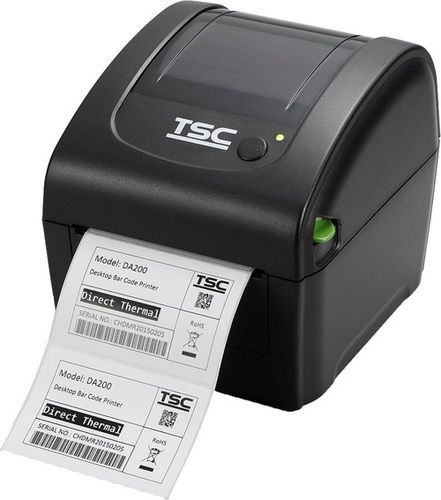
Tell us about your requirement

Price:
Quantity
Select Unit
- 50
- 100
- 200
- 250
- 500
- 1000+
Additional detail
Mobile number
Email

More Products in TSC Printer Category

TSC TX 600 Label Printer
Price 62400 INR / Piece
Minimum Order Quantity : 1 Piece
Interface : USB
Condition : New
Automatic Grade : Automatic
Maximum Resolution : 203 DPI
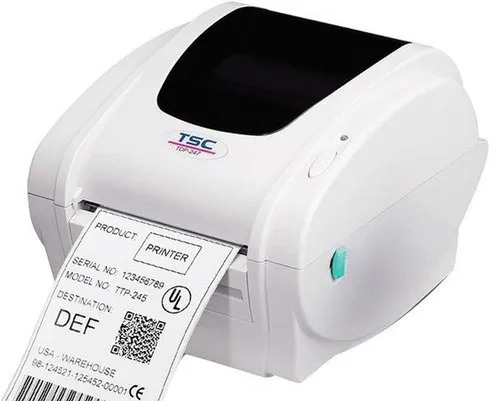
TDP-324W Wristband Printer
Price 15000 INR / Piece
Minimum Order Quantity : 1 Piece
Interface : USB
Condition : New
Automatic Grade : Automatic
Maximum Resolution : 203 DPI

Tsc Alpha2r Printer
Price 12000 INR / Piece
Minimum Order Quantity : 2 Pieces
Interface : USB
Condition : New
Automatic Grade : Automatic
TSC TE210 Desktop Printer
Price 12360 INR / Piece
Minimum Order Quantity : 2 Pieces
Interface : USB
Condition : New
Automatic Grade : Automatic
Maximum Resolution : 203 DPI

HONESTATTVA IT SOLUTIONS PRIVATE LIMITED
GST : 24AAECH4103Q1ZK
Contact Details

- B No 02, Ground Floor, Near New RBI Lane, Ashram Road,Ahmedabad - 380014, Gujarat, India

- Mr. Hardik (Director)
- Mobile :08045816199


HONESTATTVA IT SOLUTIONS PVT. LTD.
All Rights Reserved.(Terms of Use)
Developed and Managed by Infocom Network Private Limited.
Developed and Managed by Infocom Network Private Limited.


 English
 Spanish
 French
 German
 Italian
 Chinese (Simplified)
 Japanese
 Korean
 Arabic
 Portuguese