

 Send Inquiry
Zebra Barcode Label Printer
Price 75000 INR/ Piece
MOQ : 1 Piece
Zebra Barcode Label Printer Specification
- Features
- Large color touchscreen, Ethernet connectivity, Durable design
- Humidity %
- 10-85% non-condensing
- Working Temperature
- 5C - 40C (41F - 104F)
- Print Technology
- Thermal Transfer / Direct Thermal
- Function
- Print labels / barcodes
- Print Speed
- Up to 14 ips (inches per second)
- Cabinet Material
- Die-cast aluminum
- Interface
- USB, Serial, Ethernet, Bluetooth (optional)
- Capacity
- Media roll diameter up to 203 mm (8 in.)
- Usage & Applications
- Warehouse, Retail, Manufacturing, Healthcare
- Processor Speed
- 133 MHz
- Weight
- Approx. 22-25 kg (varies by model)
- Processor Type
- 32-bit RISC/133 MHz
- Noise Level
- < 60 dB
- Power Supply
- Internal universal power supply
- Condition
- New
- Material
- Metal frame
- Dimensions
- Approx. 495mm x 338mm x 330mm
- Voltage
- 100-240V AC, 50/60Hz
- Automatic Grade
- Automatic
- Black Print Speed
- Up to 14 ips (inches per second)
- Maximum Paper Size
- 104 mm (4.09 in.) print width
- Maximum Resolution
- 203 dpi / 300 dpi / 600 dpi (model dependent)
- Use
- Barcode label printing
- Network Capabilities
- Wired and optional wireless networking
- Maximum Print Length
- 991 mm (39 in.)
- Printhead
- Replaceable, user-accessible
- Sensors
- Transmissive and reflective media sensors
- Ribbon Length
- 450 m
- Supported Media Types
- Labels, Receipts, RFID tags (optional)
- Barcodes Supported
- 1D and 2D barcodes including QR, DataMatrix
- Mounting Type
- Desktop / Tabletop
- Display
- Full-color LCD touch screen
- Operating System Compatibility
- Windows, Mac OS, Linux
- Minimum Print Length
- 6 mm (0.25 in.)
- Languages Supported
- ZPL, ZPL II, EPL
Zebra Barcode Label Printer Trade Information
- Minimum Order Quantity
- 1 Piece
- Supply Ability
- 1 Piece Per Day
- Delivery Time
- 1 Days
Zebra Barcode Label Printer About
| Maximum Print Width | 4 inches |
| Maximum Ribbon Length | 450 m |
| Printer control language | ZPL, EPL |
| Max. Print Width | 4 inches |
| Maximum Print Speed | 14 ips |
| Max. Print Length | 157 inches |
| Resolution | 600 DPI (24 dots/mm) |
| Brand | Zebra |
| Max Paper Size(mm) | 100mm |
| Max. Resolution (Dots/Line) | 600 DPI |
| Model Name/Number | Zebra ZT411 |
| Model no. | Zebra ZT411 |
| Connectivity | USB,LAN,Bluetooth,WiFi |
| Interface Type | D-Sub |
Versatile Media Compatibility
This printer seamlessly handles a range of media types including labels, receipts, and optional RFID tags, making it ideal for diverse applications from inventory management to retail labeling. Its adjustable sensors and automatic desktop mount design ensure reliable performance with minimal user intervention.
User-Friendly Full-Color Touchscreen
Featuring a large, full-color LCD touchscreen, the Zebra printer provides intuitive navigation and status updates, reducing training time and streamlining print operations. The display simplifies adjustments, troubleshooting, and print job management for both new and experienced operators.
Robust Connectivity and Performance
Offering USB, Serial, Ethernet, and optional Bluetooth connectivity, this printer supports both wired and wireless network integration. With processor speeds up to 133 MHz and print resolutions up to 600 dpi, it delivers fast, high-quality labels and barcodes for demanding business environments.
FAQ's of Zebra Barcode Label Printer:
Q: How do I replace the printhead on the Zebra Barcode Label Printer?
A: The printhead is user-accessible and can be replaced easily by following the instructions in the user manual. Ensure the printer is powered off and cooled down before opening the print compartment and installing a new printhead.Q: What types of media can the printer handle, and what are the size limitations?
A: The printer supports labels, receipts, and optional RFID tags with a minimum print length of 6mm and a maximum of 991mm. It can accommodate media rolls up to 203mm in diameter and a maximum print width of 104mm.Q: When is it beneficial to use the optional wireless networking feature?
A: Wireless networking is beneficial in environments where mobile printing or network flexibility is required, such as open warehouses or distributed office placements where wired connections may be impractical.Q: Where can this barcode label printer be used most effectively?
A: This printer is ideal for a variety of industries in India, including warehouses, retail stores, manufacturing facilities, and healthcare institutions, where high-quality and reliable label printing is essential.Q: What is the process for printing barcodes and labels with this model?
A: Simply load compatible media, configure your print job using the intuitive touchscreen or through ZPL/EPL-compatible software, and initiate printing. The printer's sensors and robust print mechanism ensure precise, high-speed output.Q: How does the color touchscreen benefit daily usage?
A: The touchscreen makes setup, adjustment, and status monitoring more intuitive, reducing the learning curve and enabling users to quickly troubleshoot or modify print settings without technical assistance.Q: What are the key advantages of the durable die-cast aluminum frame?
A: The die-cast aluminum frame provides superior durability and stability, ensuring reliable operation under continuous use and in demanding industrial or commercial environments.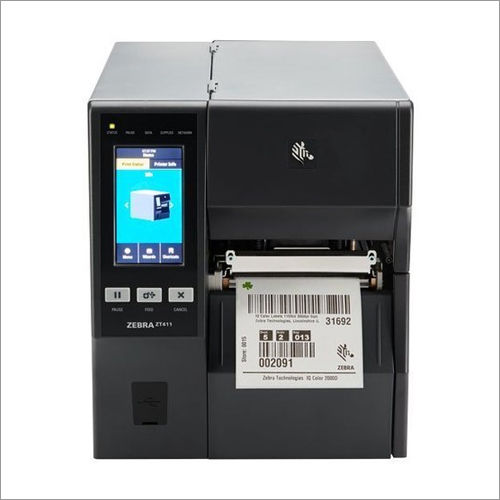
Tell us about your requirement

Price:
Quantity
Select Unit
- 50
- 100
- 200
- 250
- 500
- 1000+
Additional detail
Mobile number
Email

More Products in Zebra Printer Category
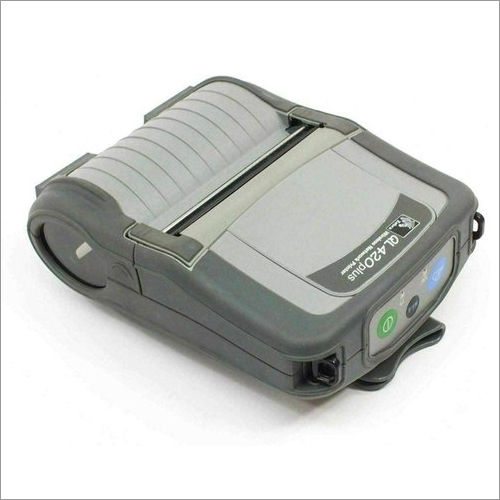
Zebra Ql420 Ng Mobile Printer
Price 10000 INR / Piece
Minimum Order Quantity : 1 Piece
Function : Direct Thermal Printing
Print Technology : Direct Thermal
Print Speed : Up to 3 ips (76 mm/sec)
Working Temperature : 20C to 50C (4F to 122F)
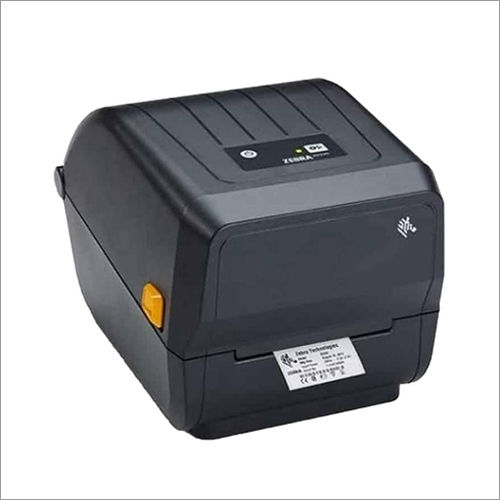
ZD220 Barcode Printer
Price 9700 INR / Piece
Minimum Order Quantity : 1 Piece
Function : Direct thermal/thermal transfer barcode printing
Print Technology : Thermal transfer & direct thermal
Print Speed : Up to 4 inches/second (102 mm/sec)
Working Temperature : 5C to 41C (40F to 105F)
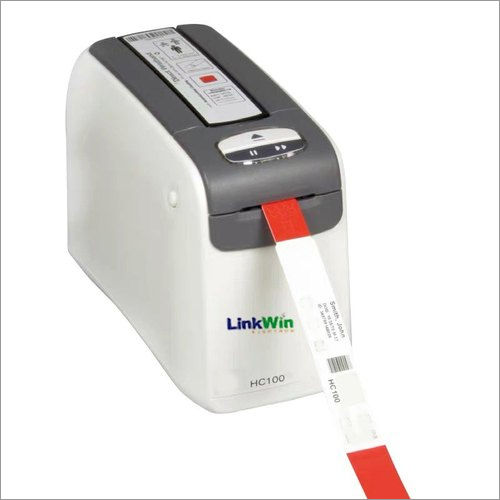
Zebra Hc100 Wristband Barcode Printer
Price 35000 INR / Piece
Minimum Order Quantity : 1 Piece
Function : Direct Thermal Printing
Print Technology : Direct Thermal
Print Speed : Up to 51 mm/sec
Working Temperature : 5C to 40C
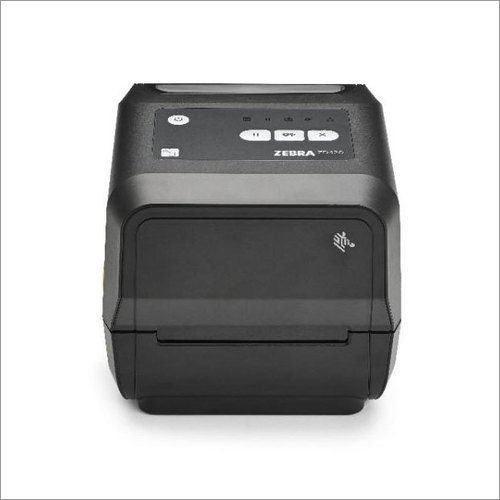
Zebra Zd420 300DPI Printer
Price 2000 INR / Piece
Minimum Order Quantity : 1 Piece
Function : Direct Thermal / Thermal Transfer printing
Print Technology : Direct Thermal & Thermal Transfer (via ribbon)
Print Speed : 102 mm/sec (4 ips)
Working Temperature : 4.4C to 41C (40F to 106F)

HONESTATTVA IT SOLUTIONS PRIVATE LIMITED
GST : 24AAECH4103Q1ZK
Contact Details

- B No 02, Ground Floor, Near New RBI Lane, Ashram Road,Ahmedabad - 380014, Gujarat, India

- Mr. Hardik (Director)
- Mobile :08045816199


HONESTATTVA IT SOLUTIONS PVT. LTD.
All Rights Reserved.(Terms of Use)
Developed and Managed by Infocom Network Private Limited.
Developed and Managed by Infocom Network Private Limited.


 English
 Spanish
 French
 German
 Italian
 Chinese (Simplified)
 Japanese
 Korean
 Arabic
 Portuguese